RTCU M2M Studio


|
RTCU M2M Studio |
|
|
•Unified Workflow: Facilitates the entire development lifecycle within a single, high-performance environment. •Integrated Simulation: Enables full application testing and validation via the RTCU Simulator prior to final hardware deployment. •Scalable Architecture: Supports the development of diverse solutions, ranging from simple monitoring tasks to complex industrial IoT integrations.
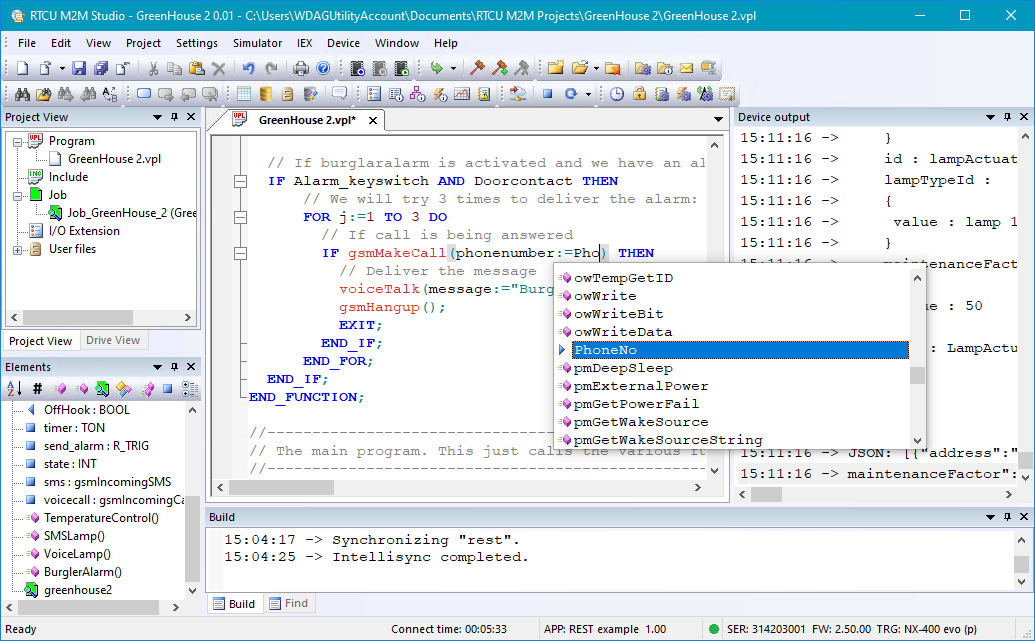
•Integrated Project Control: Centralizes the management of all project components, including source code, execution jobs, and voice/data assets. •Automated Deployment: Features a one-click uploader to transfer all application components, files and audio files to the target device. •Direct Firmware Management: Facilitates the acquisition and installation of firmware updates directly from the internet within the studio. Intelligent Programming & Efficiency Tools •Automatic Parameter Suggestion: Displays parameters in real-time as functions are entered, ensuring API compliance without external referencing. •Variable and Element Overview Windows: Provides centralized navigation and status tracking for all variables, constants, and I/O elements across the project. •Syntax Highlighting Editor: Automatically applies color-coding to keywords, comments, and variables to maximize code structure and readability. •VPL Code Generator: Assists in the implementation of the VPL language and complex functions, aiding in the recall of infrequently used syntax. •Integrated Documentation: Offers immediate, searchable access to help files for language syntax and built-in functions directly from the interface.
Deployment and Connectivity •Local Connection: Supports project transfer via a standard programming cable. •RTCU Communication Hub: Enables remote deployment and management over cellular or network connections, facilitating updates to devices in the field. Advanced Simulation and Debugging •Integrated RTCU Simulator: oHardware Emulation: Simulates digital/analog I/O, the real-time clock, and network interfaces on a Windows PC. oCommunication Testing: Features full interaction with phone functions, including simulated SMS messaging and network data transfers. oInteractive Monitoring: Allows for the manual control of inputs and real-time observation of output statuses. •RTCU Instrumented Execution (IEX): oReal-Hardware Debugging: Executes and analyzes applications on physical NX32L-based devices for precise timing and hardware interaction. oLive Manipulation via Insight!: Enables the real-time reading and writing of global variables during execution, allowing for dynamic testing without recompilation. oExecution Transparency: Provides visibility into the call stack and thread status, with the ability to pause, resume, and set coded breakpoints. Comparison between the Simulator and the RTCU IEX
Please refer to the RTCU IEX section for more information.
For more information:
•Menu items in the RTCU M2M Studio
|