Maintenance: Apply Option key

Top  Previous  Next


device_apply_upgrade_key


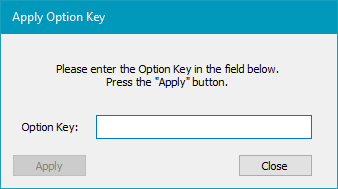
Use this window to enable specific optional features on the connected RTCU device. Enter the unique Option Key into the field and click "Apply''.
This feature is used to apply a "Clear password key" as described in the Logon Security and Escalating Lockout Mechanism section.
Please note that keys are device-specific and based on the unit's serial number.