Menu item: Settings


|
Menu item: Settings |
|
|
This dialog is where the settings for the RTCU M2M Studio is configured.
Editor
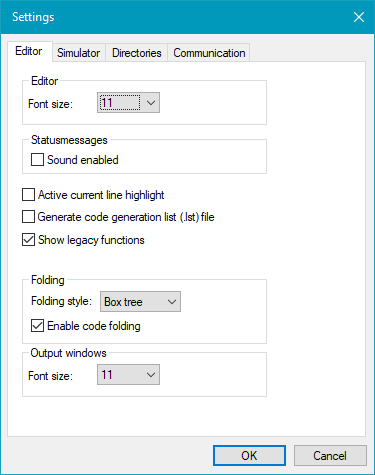
The "Editor" page shows the configuration options for the editor.
Font size Sets the font size of text in the editor window.
Sound enabled Enable/disable sound when various actions are completed (such as uploading, etc).
Active current line highlight Enable/disable highlight of the current line in the editor window.
Generate code generation list (.lst) file When this option is selected the VPL compiler will output the virtual machine assembly code to a file with the same name as the VPL file, but with an '.lst' extension. The list file is useful to determine the stack-layout when using the RTCU M2M Platform.
Show legacy functions When this option is enabled, the Wizard will include deprecated functions that are not recommended for new projects.
Folding style The style used in the margin to show folded and not folded code.
Enable code folding Enable/disable the option of folding the code in the editor window.
Output windows Font size Sets the font size of text in the Device output, Build and Find windows.
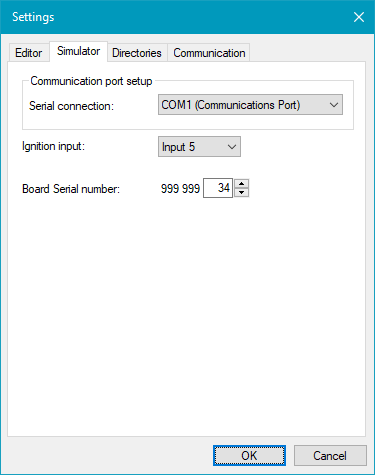
The "Simulator" page shows the configuration options for the RTCU Simulator.
Communication port Setup
Serial connection Set the serial port used by the Simulator for External mode in the Serial simulation. If no port is selected, external mode is disabled.
Ignition input Set which digital input is used for the dedicated ignition input signal in the RTCU Simulator. This allows simulation of unit with different hardware configurations. For example on the RTCU NX-200, this would be input 5, and on the RTCU LX5, it is input 1.
Board Serial number The serial number of the simulator is always 999999XXX, where the last three digits are configured here. The serial number is returned with the function boardSerialNumber() and is also used as the node id when the simulator connects to an RTCU Communication Hub.
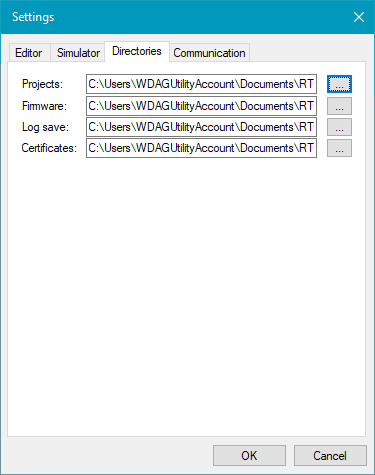
The "Directories" page shows the configuration options for the directories used.
Projects This is the directory where new projects are created.
Firmware This is the directory where downloaded firmware is stored.
Log save This is the directory where log files are saved.
Certificates This is the directory where RTCU M2M Studio expects to find certificates.
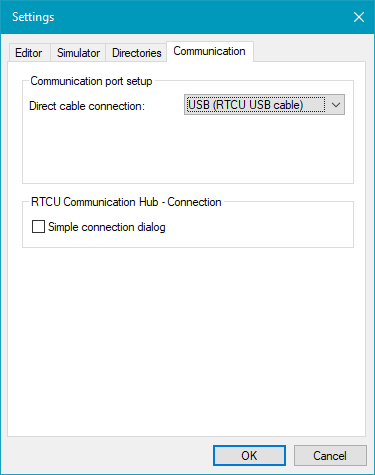
The "Communication" page shows the configuration options for communication with devices.
Direct cable connection Sets the interface used to communicate with a connected RTCU device.
Simple connection dialog This option selects the simplified RTCU Communication Hub Connection Dialog.
|