Simulator: Persistent Memory


Simulator: Persistent Memory |
|
|
Using the "Persistent Memory" window, it is possible to manipulate the persistent FLASH and FRAM memory storage of an RTCU device.
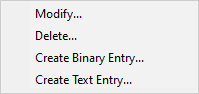
The dialog shows the contents of the persistent memory and can be used to create, modify and delete the entries. Right-clicking on the table makes a menu appear which makes it possible to change/delete the contents of the specified location or to create a new entry entirely - either as a binary or as a string entry:
Modify Selecting "Modify" shows a dialog to edit the selected entry.
Delete Selecting "Delete" asks for confirmation and then deletes the entry.
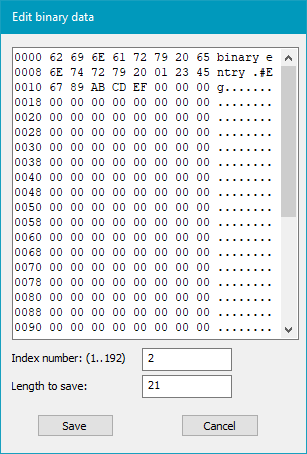
Create binary Entry Selecting "Create binary Entry" shows the following dialog:
The value of the binary entry is written to the hex editor. The index of the entry to create is entered in the upper text field. The length of the entry is entered in the lower text field.
When OK is pressed, the entry is created.
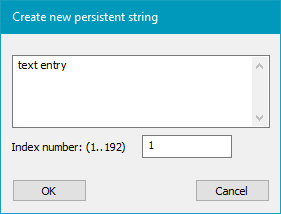
Create Text Entry Selecting "Create Text Entry" shows the following dialog:
The value of the persistent string is written to the upper text field. The index of the entry to create is entered in the lower text field.
When OK is pressed, the entry is created.
|