Simulator: Network


Simulator: Network |
|
|
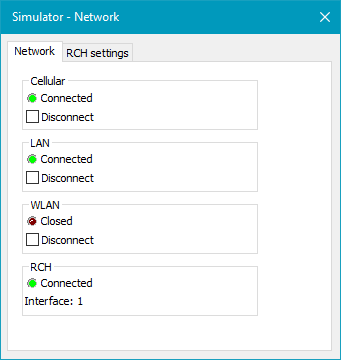
The network dialog provides an overview of the status of the individual network interfaces and RCH parameters.
Network:
This shows if the network interfaces are e.g. closed, connected or not connected. The Disconnect check box can be used to simulate that the network connection has been lost.
Note: All the network interfaces share the same network interface of the PC.
RCH It is shown if the RCH is Disabled, open or connected and which network interface it is using.
RCH settings
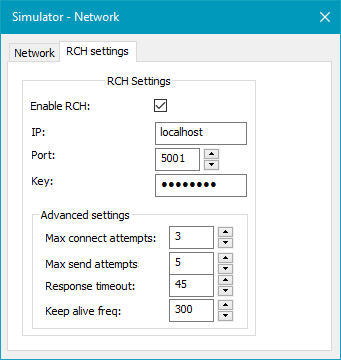
This dialog provides access to configure the RCH connection for the simulator. The parameters available are similar to those available in a physical RTCU device. Please see the Network: RTCU Communication Hub Settings section for an explanation.
When the VPL application opens the network and the RCH is enabled, the Simulator will automatically connect to the RCH, and the function gwConnected() will indicate when the connection has been established. VSMS messages can be sent using gsmSendSMS() or gsmSendPDU() and received using gsmIncomingSMS() or gsmIncomingPDU(). The Simulator works exactly as a physical device configured with the same parameters. |