Chapter 4, Write the Program

Top  Previous  Next

In this chapter, we will add some useful code to the "Greenhouse_1.VPL" file.

 
To accelerate this task it is possible to mark the code in this section, select "Copy", and then use "Paste" in the RTCU M2M Studio editor to move it there. This will save you some work at the keyboard.


We begin by defining the various signals we need either to monitor or to control from the program:


In the file, find the following code:


//  Input variables that can be configured via the configuration dialog
VAR_INPUT
 
END_VAR;


Then modify it to read:


//  Input variables that can be configured via the configuration dialog
VAR_INPUT
   Sensor_L     : BOOL;   | Sensor input for low temperature
   Sensor_H     : BOOL;   | Sensor input for high temperature
   Alarm_time   : INT;    | time, 0..32767 minutes, time before SMS message is sent
   phone_number : STRING; | The number the SMS message should be sent to
END_VAR;


This defines the two signals we need to monitor from the outside world, as well as the "Alarm_time" and "phone_number", which will be set from the configuration dialog.


Now, locate the following code in the file:


//  Output variables that can be configured via the configuration dialog
VAR_OUTPUT
 
END_VAR;


And change it to look like this:


//  Output variables that can be configured via the configuration dialog
VAR_OUTPUT
   Out_Heater      : BOOL; | Output to activate heater
   Out_Ventilation : BOOL; | Output to activate ventilation (Open door)
END_VAR;


This defines the two signals we need to control in the outside world.


Your program now looks like this:


//-----------------------------------------------------------------------------
// Greenhouse_1.vpl, created 2026-01-13 11:35
// 
//-----------------------------------------------------------------------------
INCLUDE rtcu.inc
// Uncomment math.inc to add math library support.
//INCLUDE math.inc
 
//  Input variables that can be configured via the configuration dialog (These are global)
VAR_INPUT
   Sensor_L     : BOOL;   | Sensor input for low temperature
   Sensor_H     : BOOL;   | Sensor input for high temperature
   Alarm_time   : INT;    | time, 0..32767 minutes, time before SMS message is sent
   phone_number : STRING; | The number the SMS message should be sent to
END_VAR;
 
//  Output variables that can be configured via the configuration dialog (These are global)
VAR_OUTPUT
   Out_Heater      : BOOL; | Output to activate heater
   Out_Ventilation : BOOL; | Output to activate ventilation (Open door)
END_VAR;
 
//  These are the global variables of the program
VAR
 
END_VAR;
 
PROGRAM Greenhouse_1;
// These are the local variables of the program block
VAR
 
END_VAR;
// The next code will only be executed once after the program starts
 
BEGIN
// Code from this point until END will be executed repeatedly
 
 
END;
 
END_PROGRAM;


Please note that we have not in any way connected the four signals to any specific physical in- or outputs, we have not even written anything about whether they are digital in- or output signals at all. This will be done in the Configuration, which will be covered in Chapter 6.


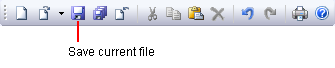
To save your work, you can press the "Save current file" on the standard toolbar:


tutor-6


Now we will add the variables of the program.

Locate the following:


// The global variables of the program
VAR
 
END_VAR;


And modify it to read:


// The global variables of the program
VAR
   timer      : TON;    // ON-delay timer is declared.
                        // A On-delay timer goes active when 'trig' has
                        // been active for 'pt' seconds.
   send_alarm : R_TRIG// detects leading edge on alarm
END_VAR;


Now it is time to add some code to the program.

First we will add some initialisation code.


Locate the following:


// The next code will only be executed once after the program starts
 
BEGIN


And modify it to read:


// The next code will only be executed once after the program starts
// Set the timer
// (Convert to seconds)
timer(pt := Alarm_time*60*1000); 
 
// turn on GSM-module
gsmPower(power := ON);
 
BEGIN


Now we will add the rest of the program.

Locate the following:


BEGIN
// Code from this point until END will be executed repeatedly
 
 
END;
 
END_PROGRAM;


And modify it to read:


BEGIN
   // Code from this point until END will be executed repeatedly
   // Update timer
   timer(); 
 
   // If the temperature is to high then activate ventilation:
   IF Sensor_H THEN 
      Out_Ventilation:= ON;
   ELSE
      Out_Ventilation:= OFF;
   END_IF;
 
   // If the temperature is to low then activate the heater:
   IF Sensor_L THEN 
      Out_Heater:= ON;
   ELSE
      Out_Heater:= OFF;
   END_IF;
 
   // Start timer on the leading edge of the sensor-inputs:
   timer(trig:= Sensor_L OR Sensor_H);
 
   // Detect leading edge on alarm:
   send_alarm(trig:=timer.q);
 
   IF send_alarm.THEN
      IF Sensor_L THEN
         // send sms for temperature to low 
         gsmSendSMS(phonenumber:=phone_number, message:="Temperature too low");
      ELSIF Sensor_H THEN
         // send sms for temperature to high
         gsmSendSMS(phonenumber:=phone_number, message:="Temperature too high");
      END_IF;
   END_IF; 
 
END;
 
END_PROGRAM;


To save your work, you can press the "Save current file" on the standard toolbar:


tutor-6


Now your complete program looks like this:


//-----------------------------------------------------------------------------
// Greenhouse_1.vpl, created 2026-01-13 11:35
// 
//-----------------------------------------------------------------------------
INCLUDE rtcu.inc
// Uncomment math.inc to add math library support.
//INCLUDE math.inc
 
//  Input variables that can be configured via the configuration dialog (These are global)
VAR_INPUT
   Sensor_L     : BOOL;   | Sensor input for low temperature
   Sensor_H     : BOOL;   | Sensor input for high temperature
   Alarm_time   : INT;    | time, 0..32767 minutes, time before SMS message is sent
   phone_number : STRING| The number the SMS message should be sent to
END_VAR;
 
//  Output variables that can be configured via the configuration dialog (These are global)
VAR_OUTPUT
   Out_Heater      : BOOL| Output to activate heater
   Out_Ventilation : BOOL| Output to activate ventilation (Open door)
END_VAR;
 
//  These are the global variables of the program
VAR
   timer      : TON;    // ON-delay timer is declared.
                        // A On-delay timer goes active when 'trig' has
                        // been active for 'pt' seconds.
   send_alarm : R_TRIG// detects leading edge on alarm
END_VAR;
 
PROGRAM Greenhouse_1;
// These are the local variables of the program block
VAR
 
END_VAR;
// The next code will only be executed once after the program starts
// Set the timer
// (Convert to seconds)
timer(pt := Alarm_time*60*1000); 
 
// turn on GSM-module
gsmPower(power := ON);
 
BEGIN
// Code from this point until END will be executed repeatedly
   // Update timer
   timer(); 
 
   // If the temperature is to high then activate ventilation:
   IF Sensor_H THEN 
      Out_Ventilation:= ON;
   ELSE
      Out_Ventilation:= OFF;
   END_IF;
 
   // If the temperature is to low then activate the heater:
   IF Sensor_L THEN 
      Out_Heater:= ON;
   ELSE
      Out_Heater:= OFF;
   END_IF;
 
   // Start timer on the leading edge of the sensor-inputs:
   timer(trig:= Sensor_L OR Sensor_H);
 
   // Detect leading edge on alarm:
   send_alarm(trig:=timer.q);
 
   IF send_alarm.q THEN
      IF Sensor_L THEN
         // send sms for temperature to low 
         gsmSendSMS(phonenumber:=phone_number, message:="Temperature too low");
      ELSIF Sensor_H THEN
         // send sms for temperature to high
         gsmSendSMS(phonenumber:=phone_number, message:="Temperature too high");
      END_IF;
   END_IF
 
END;
 
END_PROGRAM;


Congratulations! You have already come a long way, but now it is off to:


Chapter 5        Build the project