|

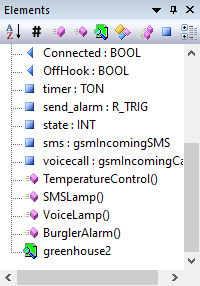
The elements window shows a list of the elements found in the current file.
It provides a quick overview of the file and can be used to jump to a specific element by double-clicking it.
The toolbar for the window provides three different types of buttons:
|
|
Sort elements
|
Toggles between sorting the elements by name or position in the file.
|
|

|
Hide defines
|
Toggles between showing and hiding the different element types.
|
|

|
Hide function block
|
|

|
Hide function
|
|

|
Hide program
|
|

|
Hide struct block
|
|

|
Hide thread block
|
|

|
Hide variables
|
|

|
Show conditional compilation
|
This will show elements which are disabled by conditional compilation in the list of elements.
The disabled elements are shown in gray, to show that they are not available.
|
|