Edit: Auto Completion


Edit: Auto Completion |
|
|
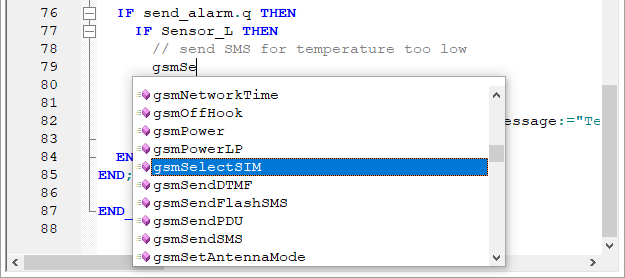
The Auto Completion menu will pop up the Auto Completion menu, showing suggestions for what could be written at the current location. The suggestions include both elements from system libraries, user libraries and from the files in the project.
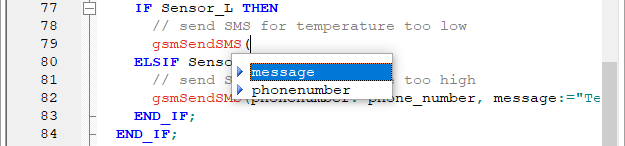
The auto completion menu can be shown by clicking the menu item or using the shortcut (ctrl+space). It is also automatically shown while writing: •When the current word has either reached 3 letters. •When "(" or "," has been written to access the parameters of a function. •When "." has been written to access the variables of a block.
The arrow keys can be used to change the selected suggestion. To use the suggestion, press enter or double click the suggestion.
|